26 October, 2026
Hack my printer: for fun, not for profit
F** that printer. I'm RE'ing its firmware now.

One day in October 2026, after being fed up with many weird printer issues, I decided to just "F** that printer. I'm RE'ing its firmware now."
That was a Canon PIXMA MG2550S - a 2015-era budget inkjet that had done what these machines do best: treat its owner like a slave instead of an owner.
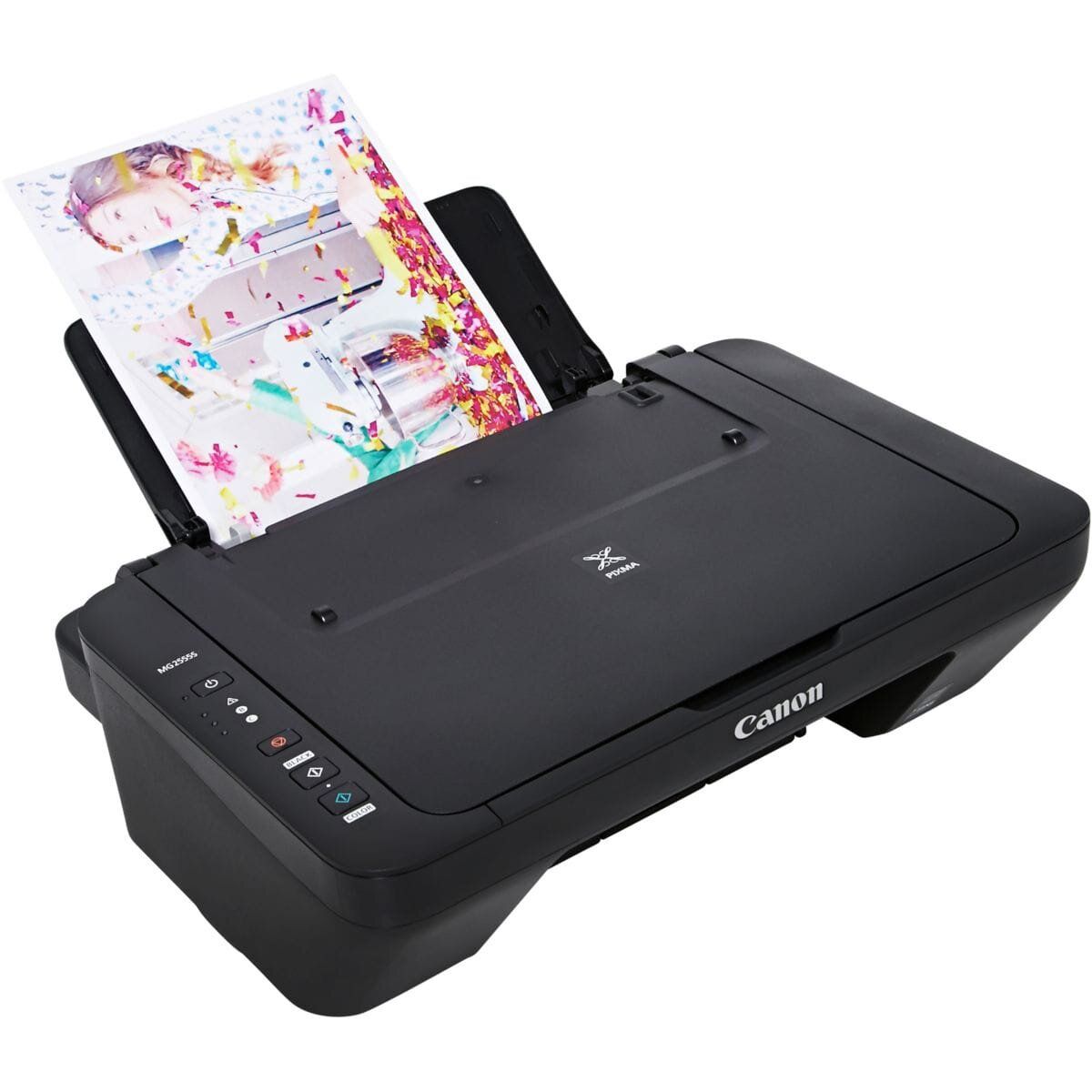
What followed was a reverse-engineering sprint: dump the firmware, analyze it, build my own firmware and flash it to the printer. The hardware, bit by bit, stopped belonging to Canon.
This series is the full story of that process: the initial frustration, the reverse engineering, the firmware development, and the final triumph of having a printer that I can really own and control.
The project is a work in progress. All the code, notes and findings are updated live on ngxson/canon-mg2550s-firmware, so if you want to follow along (or own the same printer), that's the place to look.
Firmware Dumping
So before starting, I searched for any existing firmware dumps for this printer model. Finding the exact part number was the easy part: the mainboard part number is "QM7-4706", with a Winbond W25Q16CVSIG flash that stores the firmware, and a smaller 24C08 EEPROM that stores the printer's configuration.
Unfortunately, all the existing dumps I found were behind a paywall: sites like orpys(.)com or remont-aud(.)net listed them, but I had no guarantee that they were the correct firmware for my printer. So I decided to dump the firmware myself.
Disassembling the printer was easy. The hard part was finding a way to dump the flash. The smaller EEPROM was easy as I2C only requires 2 wires, but the main flash is SPI, which requires 4 wires. Luckily, I have a DIY PCB probe that I designed and 3D printed myself. It needed some careful placement, but I was eventually able to communicate with the chip via my Flipper Zero. The dump was successful, and I had the firmware in my hands.
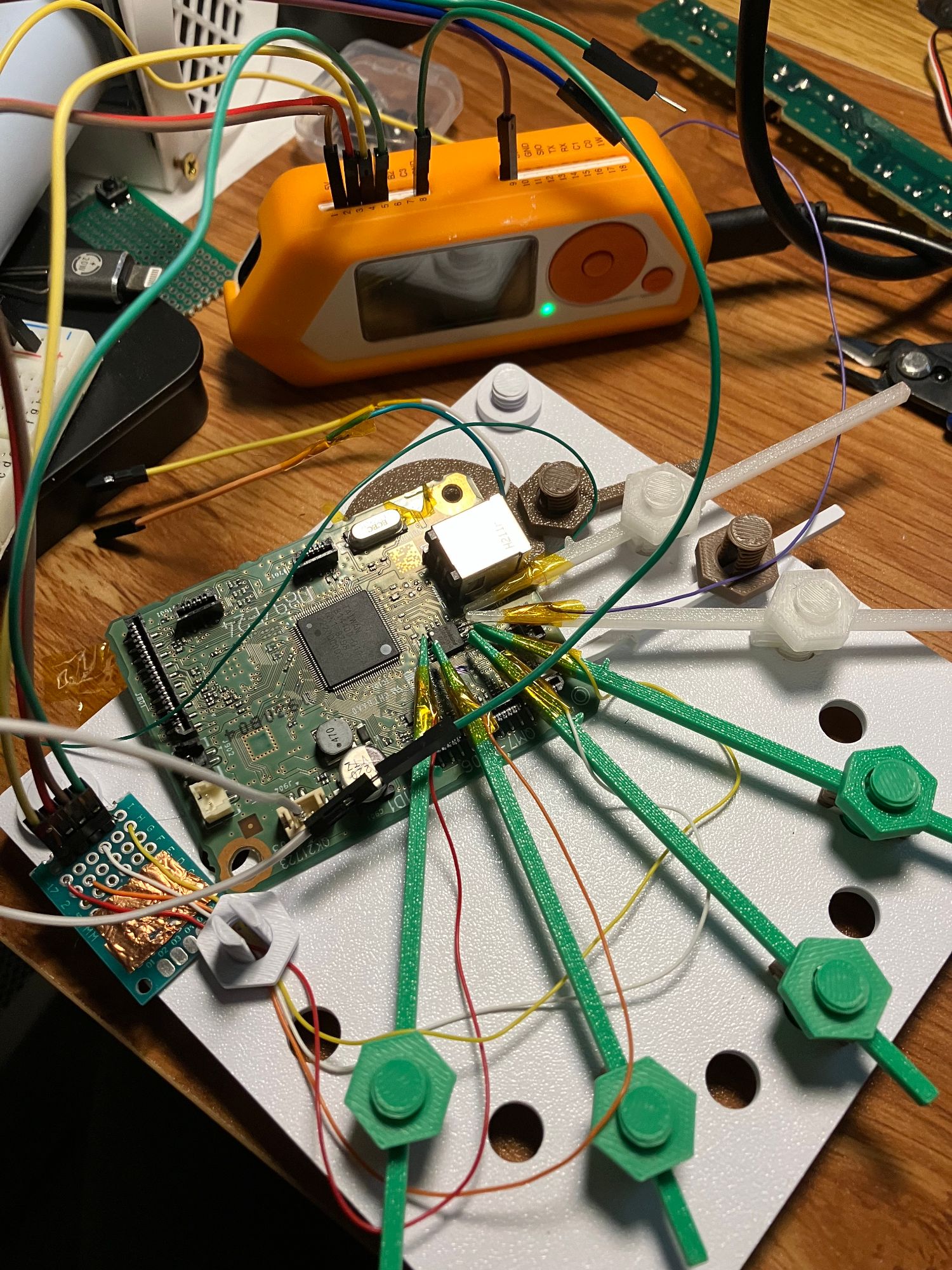
My Setup
With the firmware dumped, I started analyzing it. You may think, with the help of AI, this is a trivial task. But in reality, tasks like this constantly trip the safeguards of AI models. I ended up with a pipeline like this:
- Using multiple agents: Claude Opus/Fable (very sensitive to safeguards), GPT-6 Astra (moderate), GLM-5.3 (no safeguards)
- Assigning a "level" to each agent: more safeguarded == handling only high-level tasks, or tasks we already have all the information for. Less safeguarded == handling low-level tasks, or tasks that require more creativity and exploration.
- Having a
PROGRESS.mdto communicate the progress of the analysis to all agents, so that they can pick up where the others left off. - Storing the details of each analysis in a separate folder, so there is less chance that a high-level agent accidentally loads them and gets tripped by the safeguards.
Firmware Analysis
During the development, I needed to do multiple iterations of analysis. The key takeaways from the analysis are:
- The MCU is an ASIC, not a generic microcontroller. It is based on ARM9 (ARM946E-S class), but has a lot of custom logic and peripherals.
- The firmware is based on a custom RTOS, with a lot of custom drivers for the printer's hardware.
- The firmware is unencrypted and unsigned. There is no anti-tampering mechanism, just a simple checksum.
- Most importantly, on stock firmware, download mode can be triggered by holding the "Stop" button during power-on. This is a very important piece of information, as it allows other people to later flash my firmware without disassembling the printer.
Proof-of-Concept: Custom Firmware
Now that the analysis and methodology are established, I started developing my own firmware. The first step was to build a simple PoC firmware that can be flashed to the printer, and that allows me to control and debug the printer via USB.
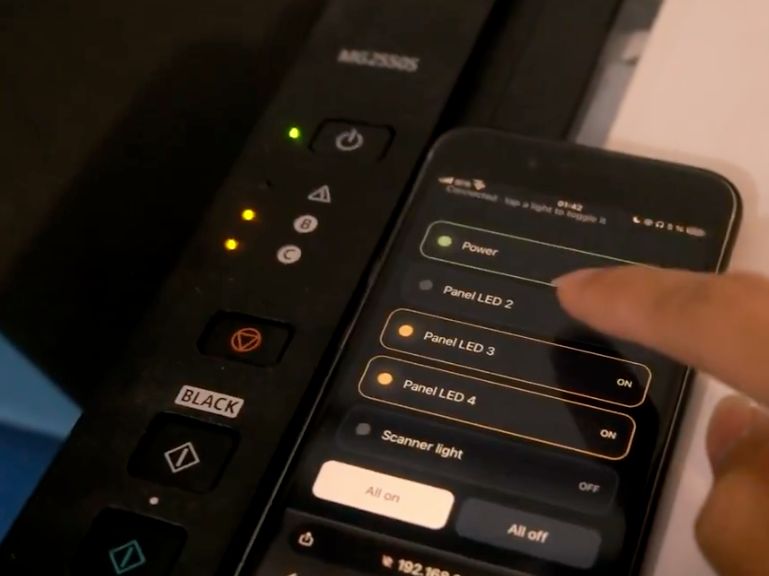
The goal of this PoC is simple: control the LEDs on the printer via USB commands. This is a simple task, but it allows me to verify that my firmware can be flashed and run on the printer, and that I can talk to the printer via USB.
Bootloader
The first thing I needed to figure out was a way to flash new firmware and debug it, completely via USB.
I didn't want to open the printer every time I wanted to flash a new version, so I designed a bootloader that allows recovering the printer even if the main firmware is completely broken.
What is a bootloader? It's a small piece of code that runs before the main firmware (let's call it an "app"), and allows flashing new firmware to the printer. It can be thought of as a "recovery mode" for the printer.
If the app fails to boot, or if the USB host requests download mode during the 5-second window after boot, the bootloader will enter download mode, allowing new firmware to be flashed via USB.
With that in place, I can now flash the LED control PoC firmware, with the LED control routine obtained from the firmware analysis. See the full video of the PoC in action here.
Emulator
One of the most important tools I built during development is an emulator for the printer's firmware. The emulator allows me to run the firmware on my PC, and debug it with a full-featured debugger.
Of course, emulating an ASIC is notoriously difficult, but with the help of AI, I was able to build the emulator piece by piece. The emulator is not perfect, but it is good enough to run parts of the code as fixtures, and to test the firmware without having to flash it to the printer every time.
First attempt: scanning
So with the PoC firmware in place, I started to implement a simple scanning routine.
The scanner is a simple device, with a linear CIS (contact image sensor) that captures the image line by line. A stepper motor moves the sensor across the document.
The first attempt was to RE (reverse engineer) the scanning routine from the stock firmware, and implement it in my own firmware. It turned out to be much more complicated than I expected, as the stepper motor control requires many parameters to be set correctly.
Image: First scan, just noise

It took me half a day to get the data from the sensor and control the light source, and another half a day to get the stepper motor to move correctly. After that, I was able to get a raw image from the scanner, but the contrast was not good. Still, this was a good start.
Image: Got a black and white image, already better than nothing
Second attempt: printing
The next day, I started to implement a simple printing routine. The plan was:
- Feed the paper in, and eject it (no printing yet)
- Control the print head movement
- Communicate with the ink cartridges
- Control the print head to print a simple pattern
It turned out to be much more complicated than I expected:
- The feeding motor and the forward motor have very tight timing, and the paper can easily jam if the timing is not correct.
- Aligning the paper and the print head is very important, and at the same time very difficult to get right.
- Print head firing is mostly controlled by hardware, so a lot of things need to be RE'd.
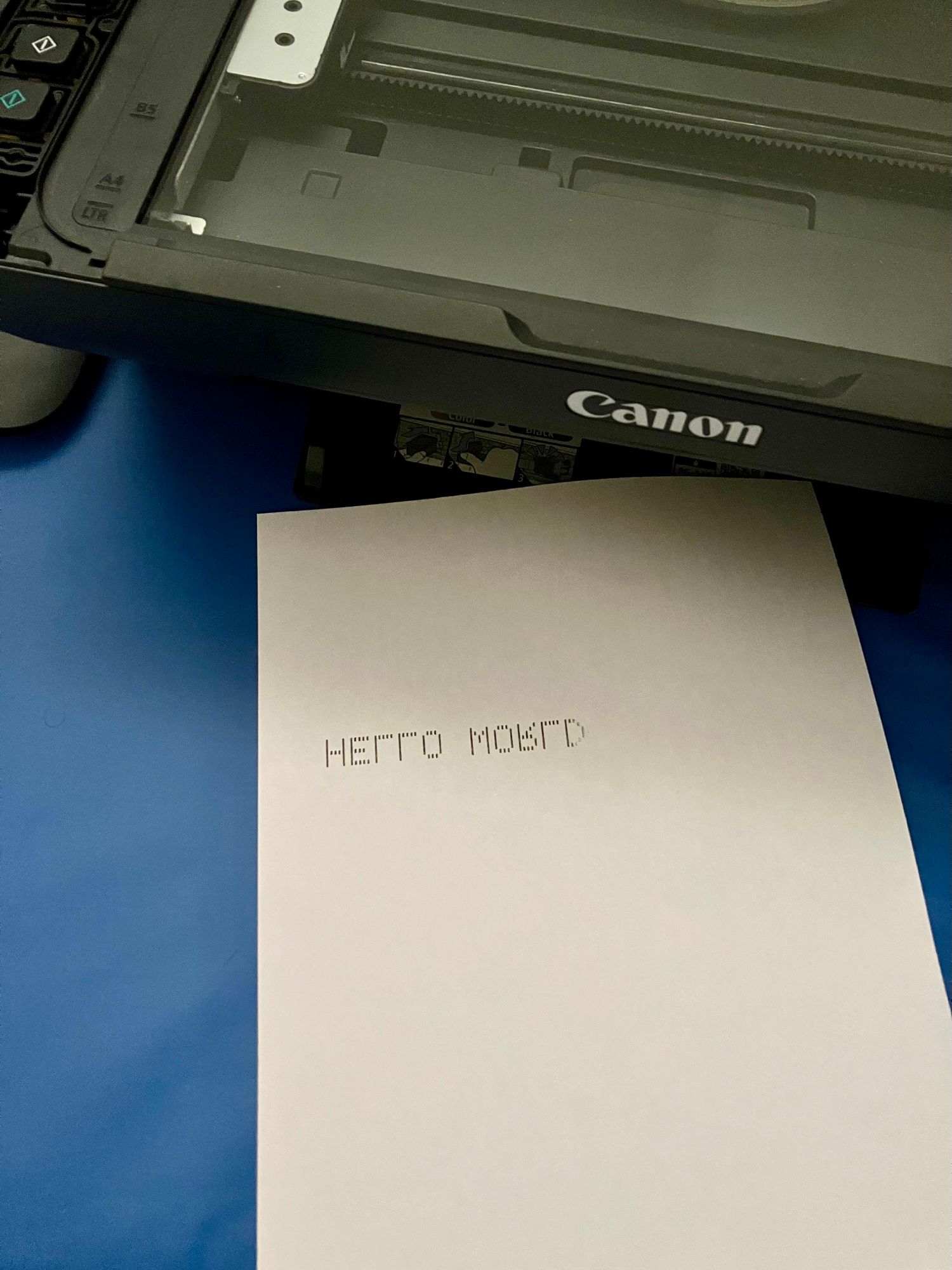
Despite all the difficulties, after one day of work, I was able to print a simple "HELLO WORLD" on paper, although it came out mirrored:
Things that I discovered
During the process of RE'ing the printer, I discovered a lot of interesting things about the printer's stock firmware. Here are some of the most interesting ones:
- Holding the "Stop" button during power-on will trigger download mode, allowing new firmware to be flashed via USB.
- If the scanner is somehow broken or not working, the printer stops working altogether: no sign of life, no error message, just dead. This is a very bad design choice, as it makes the printer completely useless if the scanner is broken.
- For the ink cartridges:
- The ink counter is stored in the one-time-programmable fuse ROM inside the cartridge. This means that the ink counter cannot be reset.
- The printer actively updates the ink counter by writing to the fuse ROM. This means we can just skip this step in our firmware, and keep the ink counter at 0 forever.
- The print head has a thermistor that measures the temperature of the print head. If it's somehow damaged, the printer will raise a critical error but never specifically tell the user that the print head is broken.
- The cartridge's ROM (ink counter) and the print head are two separate things. The only thing needed from the ROM is the type of the cartridge, which determines the waveform of the ink firing (think of it as "how much power to apply", that's the physical characteristic of the ink). This means the ink counter is just a software feature, and the printer can work without it.
Next steps
After my second attempt, it became clear that a fully open-source firmware for this printer is a very ambitious project. Because the MCU is an ASIC, many features are implemented in hardware, and the firmware is just a thin layer on top of it. This means that a lot of things need to be RE'd, and a lot of things need to be implemented from scratch.
I refined my plan: instead of trying to understand and implement every single feature, I will consider some routines (like homing, paper feeding, etc.) as "black boxes", and just use them as they are. This will allow me to focus on the features that I want to implement, like scanning and printing.
The end goals of this project are:
- A fully open-source alternative firmware
- Flashable without disassembly
- Using well-known protocols like eSCL and IPP, instead of Canon's proprietary drivers and protocols
- Owning the cartridge and print head: no more ink counter, no more print head error, no more proprietary cartridges.
That's it for part 1. Next up: a scan with actual contrast, and a "HELLO WORLD" that reads the right way around. Stay tuned!